Beyond the Server: Running High-Performance Python in the Browser with Pyodide and WebAssembly (2026 Guide)
By hientd, at: Feb. 2, 2026, 12:39 p.m.
Estimated Reading Time: __READING_TIME__ minutes
For a decade, the rule was simple: Python stays on the server, JavaScript stays in the browser. But as we enter 2026, that wall has crumbled.
With the release of Python 3.14 and the maturity of Pyodide, we can now execute full-stack Python - including heavy hitters like Pandas, NumPy, and Scikit-learn - directly on the client side. At Glinteco, we’re seeing a massive shift: businesses are ditching expensive cloud-compute cycles in favor of "Edge Intelligence." This guide explores how to stop guessing about performance and start leveraging the power of WebAssembly (Wasm).
1. Why Python in the Browser? The 2026 Use Case
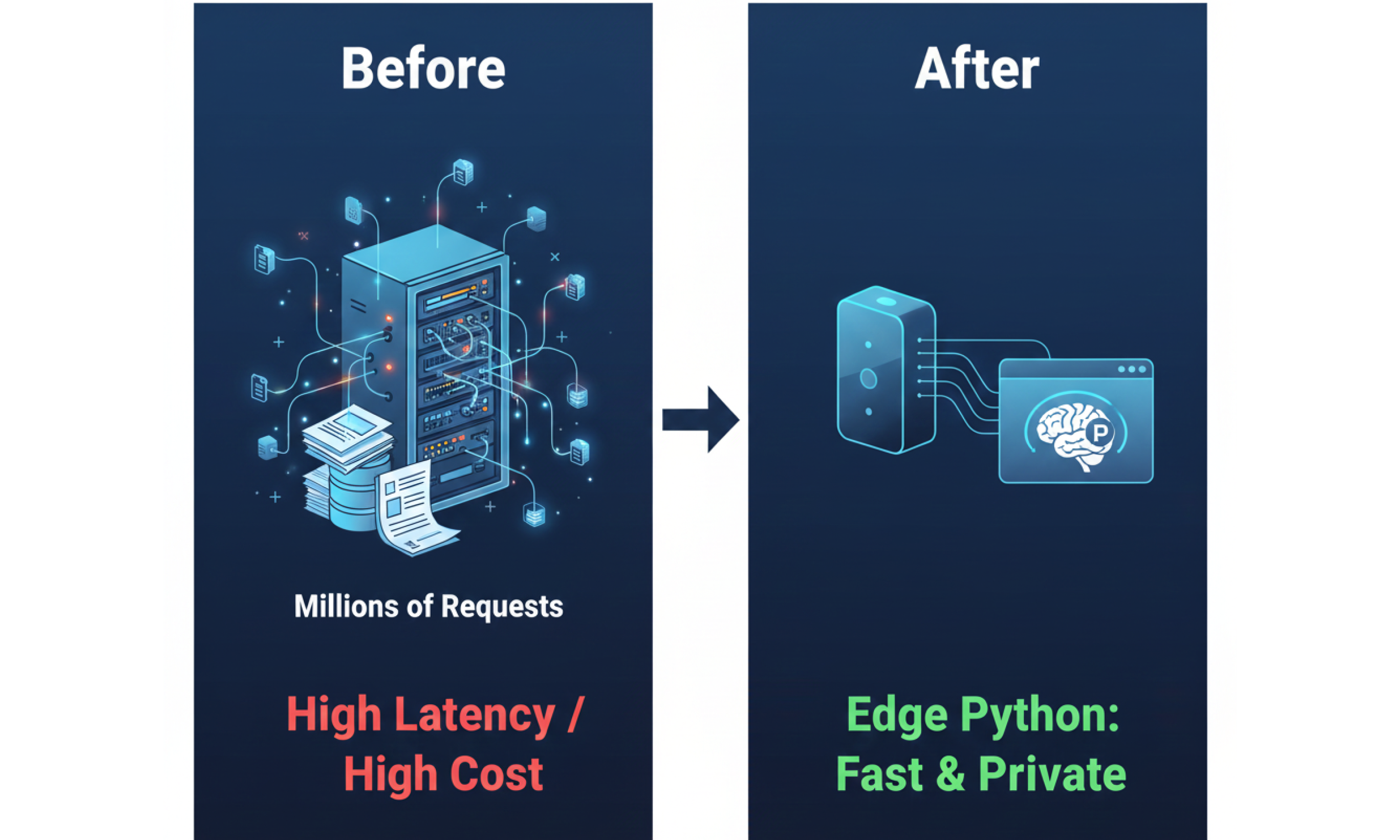
Traditionally, running a data-heavy Python app meant every user action triggered a costly server request. In 2026, user expectations for "zero-latency" have made this model obsolete.
-
Privacy by Design: By running Python in the browser, sensitive data never leaves the user’s device. This is a massive win for GDPR and 2026 AI Governance compliance.
-
Cloud Cost Reduction: Moving data processing from AWS/GCP to the user's browser can reduce server costs by up to 30-50% for data-intensive startups (Source: JetBrains State of Python 2025).
-
Interactive Dashboards: Tools like Matplotlib and Pandas now run at near-native speeds in Chrome and Firefox, enabling real-time data visualization without a backend.
2. Measuring Performance: Stop Guessing, Start Profiling
A common myth is that Python in Wasm is "too slow." However, recent benchmarks from Towards Data Science show that while interpreted Python is slower than C, optimized Python in Pyodide can achieve 90-95% of native speed for many tasks.
Glinteco’s Optimization Checklist for 2026:
-
Leverage Free-Threading: Python 3.14’s new "No-GIL" (Global Interpreter Lock) support allows for true parallel processing in the browser.
-
Use
uvfor Package Management: The Astraluvtool has become the 2025 standard for lightning-fast environment setup.
-
Profile with Py-Spy: Before optimizing, use sampling profilers to find the exact bottleneck. 80% of speed issues are usually found in 20% of the code.
3. Getting Started with Pyodide: A Snippet for 2026
Running Python in your HTML is now as simple as a few lines of code. No pip install required for the end-user.
< script src="https://cdn.jsdelivr.net/pyodide/v0.26.1/full/pyodide.js">
< script type="text/javascript">

  async function runDataAnalysis() {

    let pyodide = await loadPyodide();

    // Load the scientific stack

    await pyodide.loadPackage(["pandas", "numpy"]);


    // Execute Python directly in the browser

    pyodide.runPython(`

        import pandas as pd

        import numpy as np

        data = np.random.randn(100)

        df = pd.DataFrame(data, columns=['Value'])

        print(f"Mean Value: {df['Value'].mean()}")

    `);

  }

  runDataAnalysis();

< /script>
4. The Glinteco Advantage: Engineering the Impossible
While anyone can copy-paste a script, building Production-Grade WebAssembly applications requires deep-tech expertise. Our team (led by PhDs in Computer Science) specializes in:
-
Custom C-Extensions: Porting your proprietary C/C++ libraries to Wasm so they run alongside Python.
-
Worker-Thread Offloading: Ensuring your UI never freezes during heavy data crunching.
-
Hybrid Architectures: Deciding exactly which parts of your AI should live on the server and which should stay on the edge for maximum efficiency.
| Operational Goal | Impact of Managed Services | Estimated Efficiency Gain |
|---|---|---|
| IT Cost Reduction | Consolidating licenses & automating workflows | 25% - 45% |
| Ticket Volume | AI-powered service desk automation | 40% - 60% |
| Employee Productivity | Removing manual admin via digital tools | 45% - 65% |
Conclusion: The Future is Client-Side
Are your Python apps ready for the Edge?
Glinteco’s engineers are experts in Python performance optimization and WebAssembly integration. Let’s make your software faster, cheaper, and more secure.


![[TIPS] How to correct HTML tags - Python](/media/filer_public_thumbnails/filer_public/f0/d6/f0d63c49-f021-4a0c-a0be-772ac19dbef0/html-tag.png__400x240_q85_crop_subsampling-2_upscale.jpg)